AI voice keyboard for iPhone and iPad
Talk. GPTboard types it clean.
Speak naturally and get clean, punctuated text in Messages, Mail, WhatsApp and most apps. Then change its tone or language in a few taps.

On a computer? Point your iPhone camera here.
Free to download. For iPhone and iPad with iOS 16.2 or later.
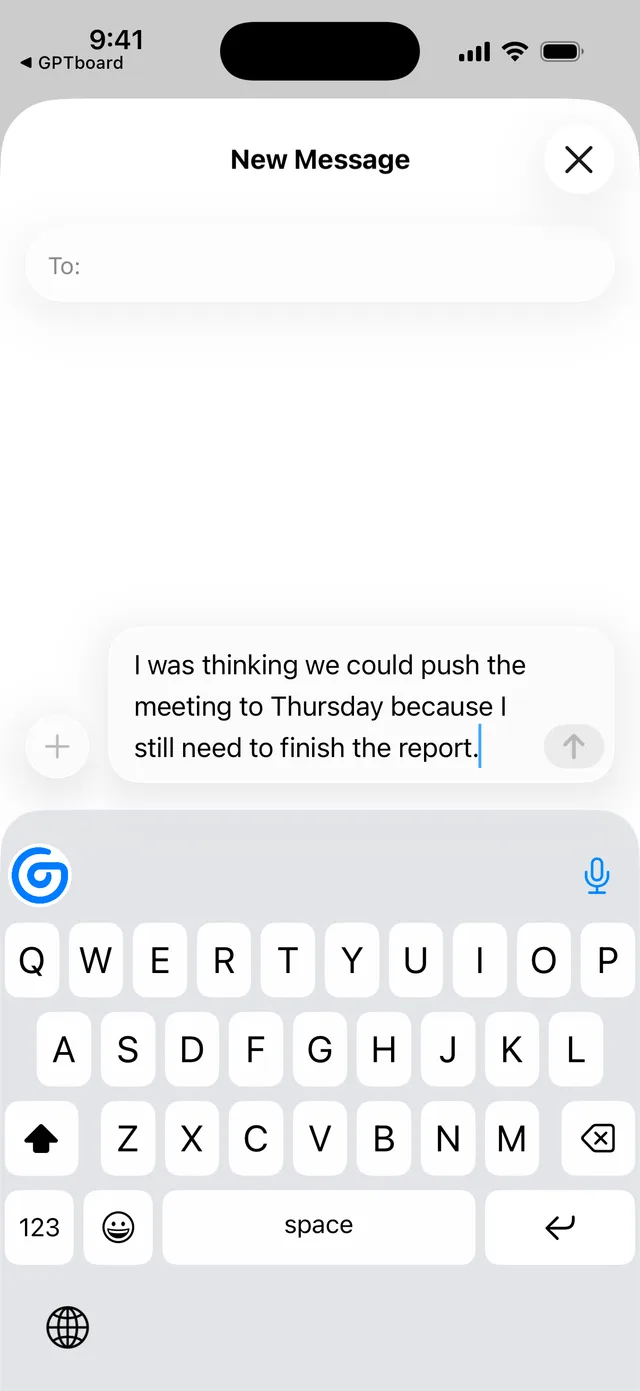
You say
so um I was thinking we could uh push the meeting to like Thursday because I I still need to finish the report
GPTboard types
I was thinking we could push the meeting to Thursday because I still need to finish the report.
A real dictation. The screen is the unedited result.
How voice typing works
Tap the mic.
The blue mic sits at the top right of the GPTboard keyboard. It listens right there, so you stay in the app you're writing in.
Talk.
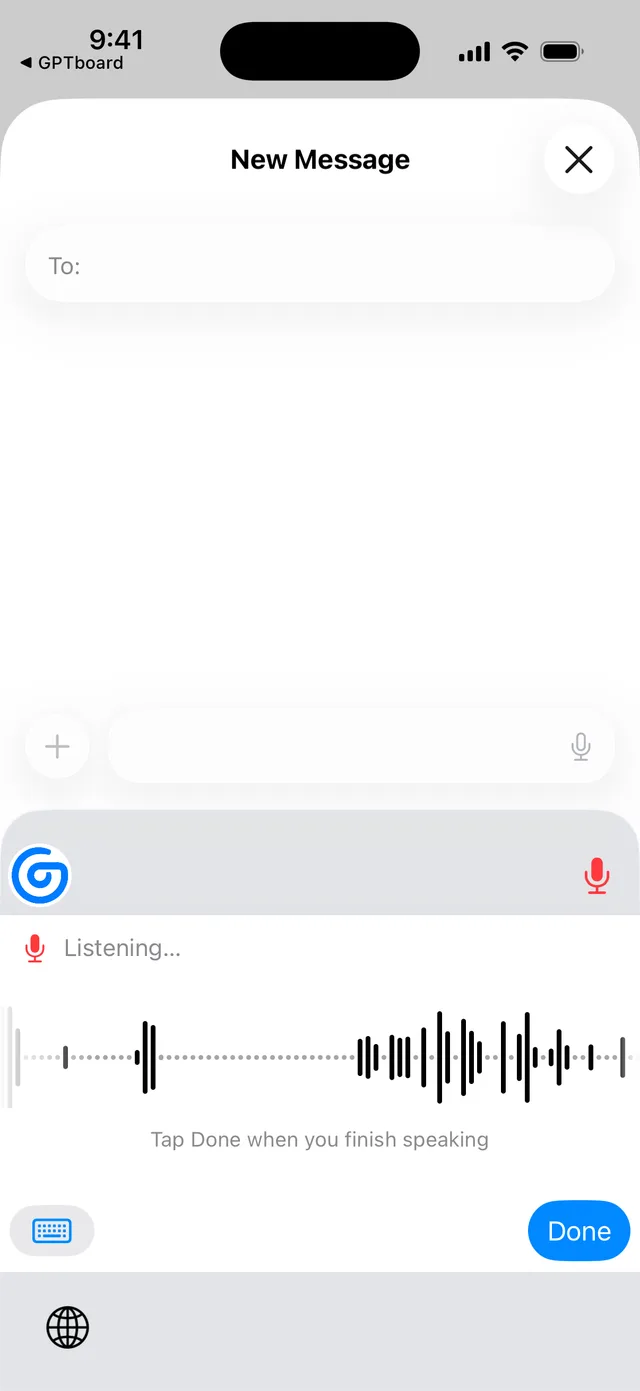
Say it the way you would say it. Pauses, "um" and restarts are fine. You see a waveform while you talk.
Tap Done.
Clean text appears where you were typing: filler words removed, punctuation and capitals added, your meaning kept.
Speak one language, send another
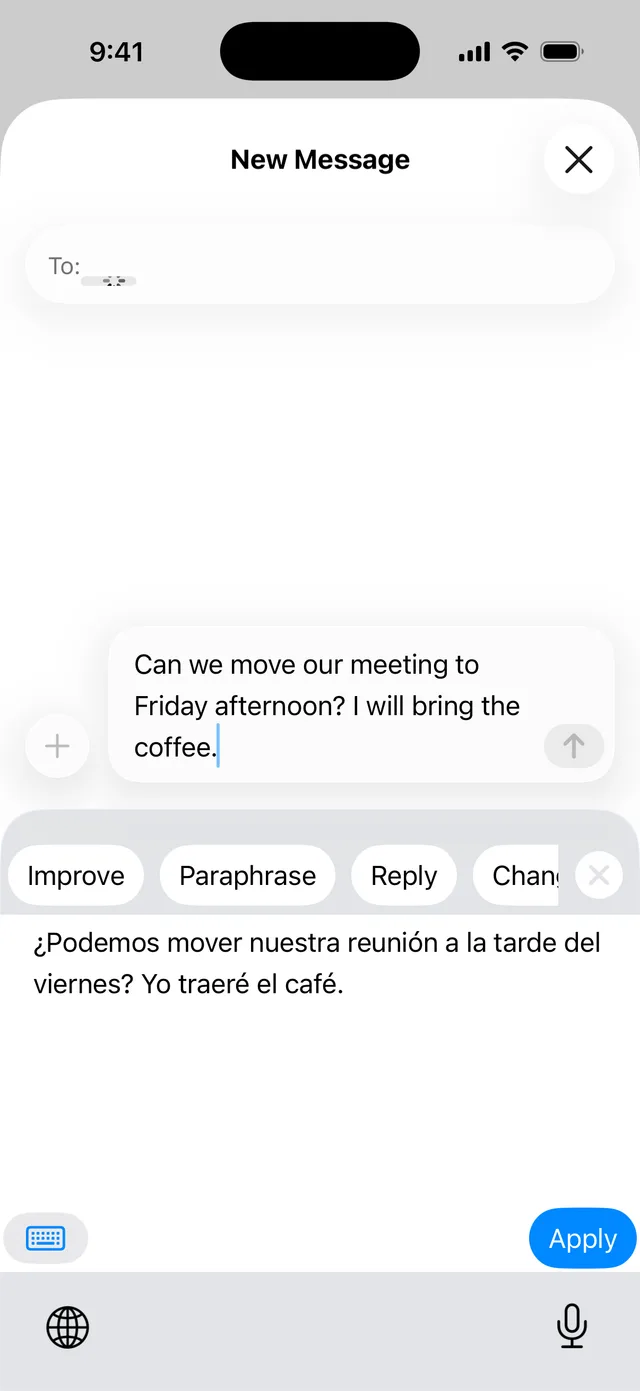
Say it in the language you think in. Then tap the GPTboard logo, choose Translate and pick a language. Tap Apply, and the translation replaces your text.
Your text
Can we move our meeting to Friday afternoon? I will bring the coffee.
After Translate, Spanish
¿Podemos mover nuestra reunión a la tarde del viernes? Yo traeré el café.
Set the language you speak once, in the GPTboard app.
How translating worksAfter you speak, make it fit
Tap the GPTboard logo at the top left of the keyboard and pick a tool. Nothing changes until you tap Apply.
Improve
Rewrites your text in clear, standard English.
Paraphrase
The same meaning in different words.
Change Tone
14 tones, from Formal to Friendly.
Reply
Copy a message, tap Reply in an empty field, and get a draft.
Translate
Into 20+ languages, including Spanish, French, Hindi and Arabic.
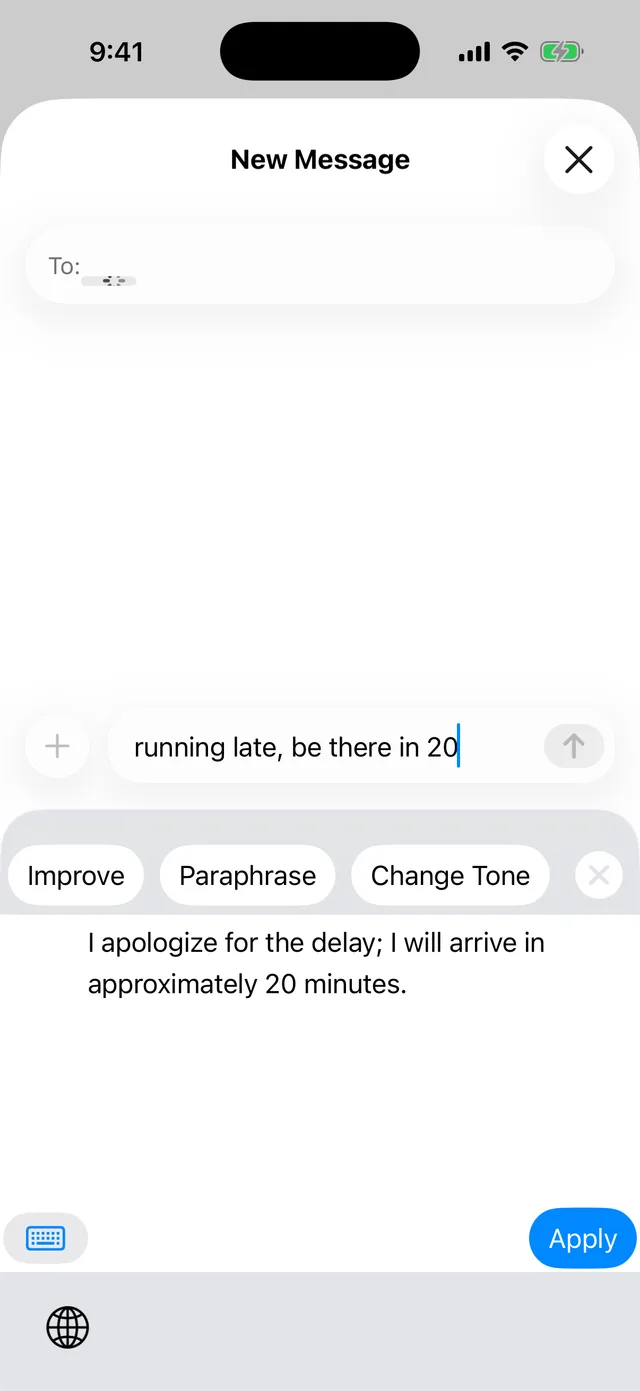
Change Tone, Formal: "running late, be there in 20" becomes "I apologize for the delay; I will arrive in approximately 20 minutes."
Works on the iPhone you already have
iPhone 8 and later.
GPTboard runs on iOS 16.2 and later. It doesn't need Apple Intelligence, which needs an iPhone 15 Pro or newer.
Your words aren't our data
- Nothing is sent while you just type.
- GPTboard doesn't store what you type or say.
- Your voice goes from your phone straight to the transcription service, not through our server.
- No account, no ads, no analytics in the app.
Your text and voice are processed by our AI provider to produce the result. It keeps requests for up to 30 days for abuse monitoring.
Privacy in plain wordsQuestions
Do I have to switch to the GPTboard app to talk?
No. The keyboard starts the microphone itself, right where you are typing. GPTboard opens only the first time you tap the mic, because a keyboard can't ask for the microphone on its own. Allow it, swipe back along the bottom edge, and the keyboard is already listening.
Why does it need Full Access?
iOS lets a keyboard go online, and work with its own app, only with Full Access. Voice typing and the tools need both. Typing, suggestions and emoji work without it.
Do the words appear while I talk?
No. You see a waveform while you talk. The clean text appears once, after you tap Done.
Does it work offline?
No. Voice typing and the tools need an internet connection.
Can I use it in French or another language?
You can speak in 50+ languages and translate into 20+. The keyboard layout itself is English QWERTY, with accents on a long press, and the app's screens are in English.
What does it cost?
GPTboard is free to download, with a daily allowance shared by voice typing and the tools. Premium removes the daily limit. It's a monthly subscription, and the App Store shows the price for your country.
Say it. Send it clean.
Free to download. iOS 16.2 or later.