Voice typing
Talk. Tap Done. Clean text appears where you were typing.
GPTboard is a keyboard, so voice typing works right where you are typing: in Messages, Mail, WhatsApp and most other apps.

On a computer? Point your iPhone camera here.
Three steps
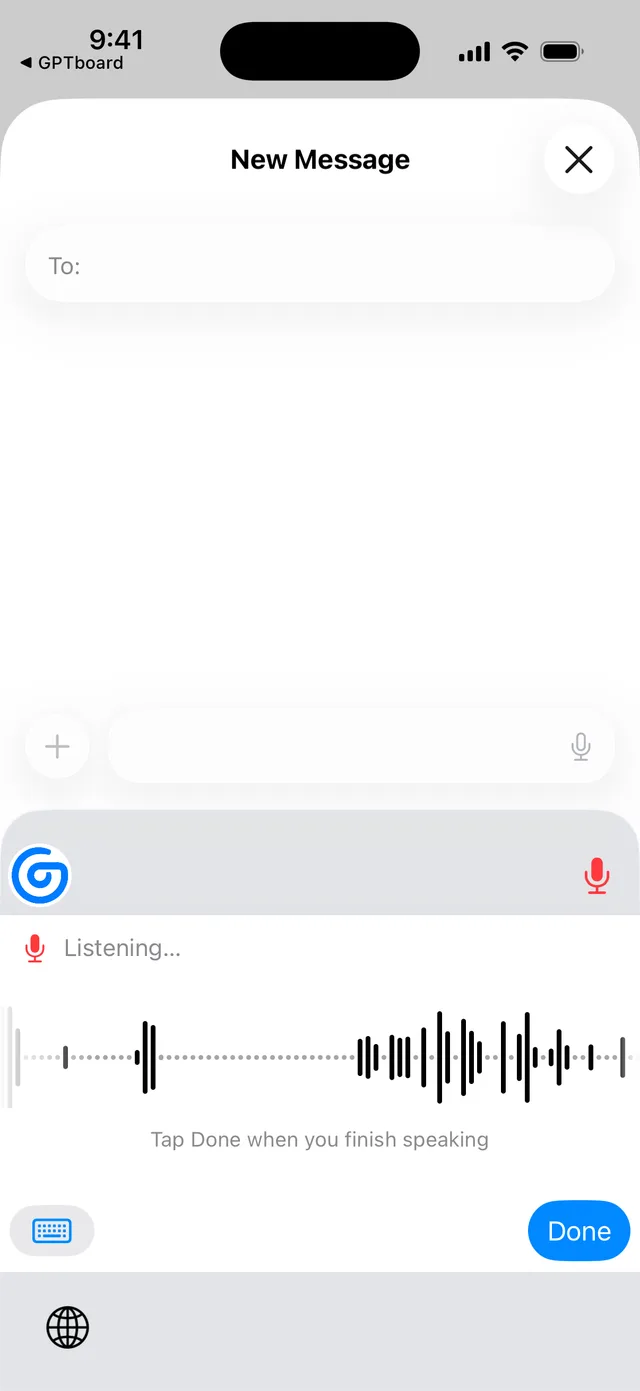
Tap the blue mic.
It sits at the top right of the GPTboard keyboard, and it listens right there: you stay in your app.
Talk.
The keyboard shows "Listening…" and a moving waveform. Say it the way you would say it: pauses, "um" and restarts are fine.
Tap Done.
The keyboard shows "Cleaning up…" for a few seconds, then the text appears where you were typing.
What the clean-up does
- Removes filler words, repeated words and false starts.
- Adds punctuation and capitals, and fixes grammar and spelling.
- Keeps the language you spoke.
- Keeps your meaning. It tidies what you said; it does not rewrite it.
You say
so um I was thinking we could uh push the meeting to like Thursday because I I still need to finish the report
GPTboard types
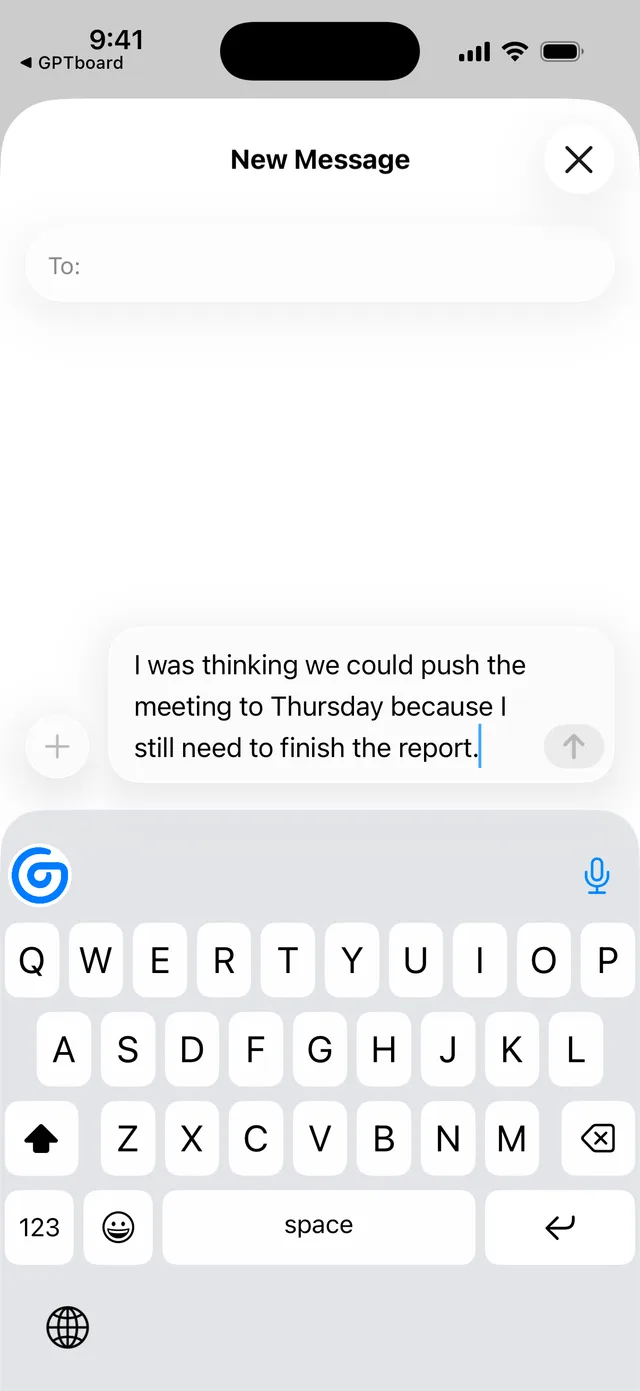
I was thinking we could push the meeting to Thursday because I still need to finish the report.
A real dictation, unedited.
You stay in your app
The GPTboard keyboard starts the microphone itself. You talk and tap Done in Messages, Mail or wherever you're writing, without switching to another app.
The one exception is the first time you tap the mic. A keyboard can't ask for the microphone on its own, so GPTboard opens once to ask. Allow it, then swipe right along the bottom edge of the screen to go back to your app. The keyboard is already listening.
If the keyboard can't start the microphone in an app, it says so and offers to open GPTboard, which records for the keyboard instead.
Voice typing also needs the keyboard's Full Access, which you turn on in Settings when you add the keyboard.The help page explains why.
57 languages you can speak
Choose the language you speak in the GPTboard app: Voice typing, then Language. Until you choose, GPTboard uses your iPhone's language. To send the text in another language, use Translate after you speak.
- Afrikaans
- Arabic
- Armenian
- Azerbaijani
- Belarusian
- Bosnian
- Bulgarian
- Catalan
- Chinese
- Croatian
- Czech
- Danish
- Dutch
- English
- Estonian
- Finnish
- French
- Galician
- German
- Greek
- Hebrew
- Hindi
- Hungarian
- Icelandic
- Indonesian
- Italian
- Japanese
- Kannada
- Kazakh
- Korean
- Latvian
- Lithuanian
- Macedonian
- Malay
- Māori
- Marathi
- Nepali
- Norwegian
- Persian
- Polish
- Portuguese
- Romanian
- Russian
- Serbian
- Slovak
- Slovenian
- Spanish
- Swahili
- Swedish
- Tagalog
- Tamil
- Thai
- Turkish
- Ukrainian
- Urdu
- Vietnamese
- Welsh
Good to know
Do the words appear while I talk?
No. You see a waveform while you talk. The clean text appears once, after you tap Done.
How long can I talk?
Up to 10 minutes per dictation.
Does it work offline?
No. Your voice is transcribed and cleaned up online, so voice typing needs an internet connection.
Which apps does it work in?
In most apps. iOS uses its own keyboard in password fields, and some apps don't allow other keyboards.
What does it cost?
Voice typing and the tools share a free daily allowance. Premium, a monthly subscription, removes the daily limit.
What happens to my voice?
It goes from your phone straight to the transcription service while you dictate, not through our server, and GPTboard doesn't store it. Privacy in plain words.
Talk. GPTboard types it clean.
Free to download. iOS 16.2 or later.