Help
Set up GPTboard
Two steps in Settings, then tap the blue mic. The GPTboard app walks you through the same steps.

Step 1 of 2
Add the keyboard
- Install GPTboard from the App Store, open it and tap Continue. Settings opens.
- Tap Keyboards.
- Turn on GPTboard.
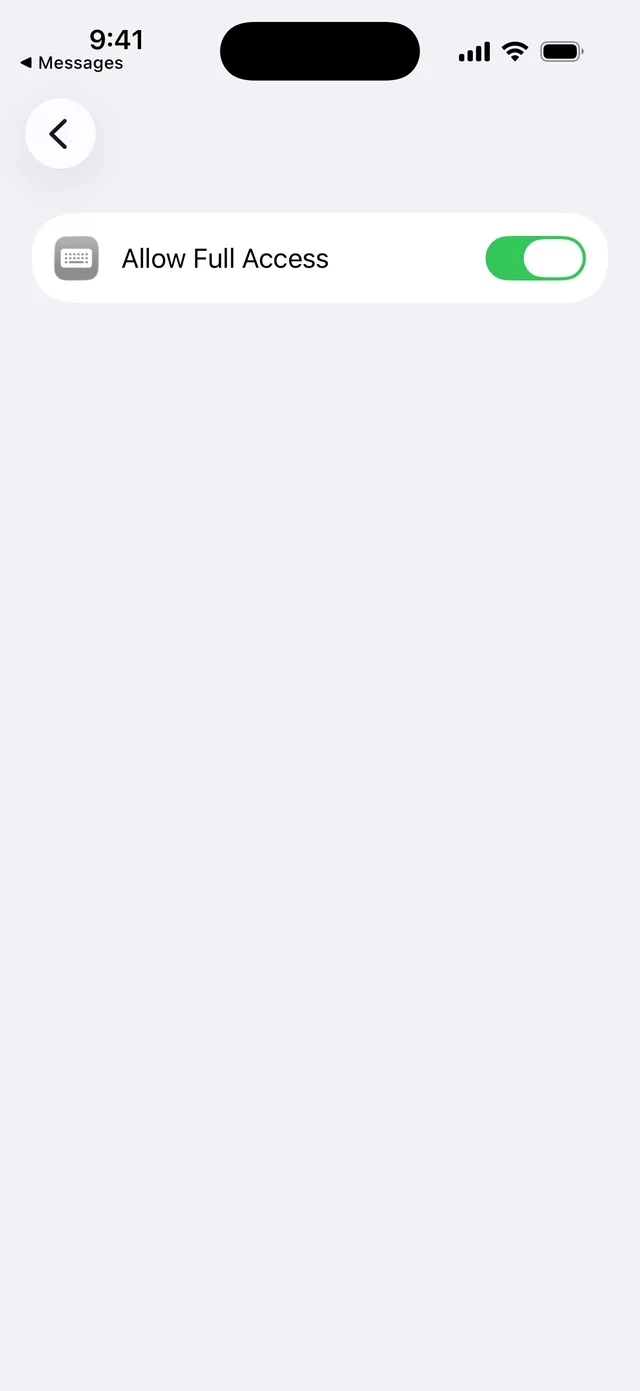
- Turn on Allow Full Access.
You can also go to Settings, then General, Keyboard, Keyboards, and tap Add New Keyboard.
Step 2 of 2
Switch to GPTboard
- Open an app you type in, such as Messages.
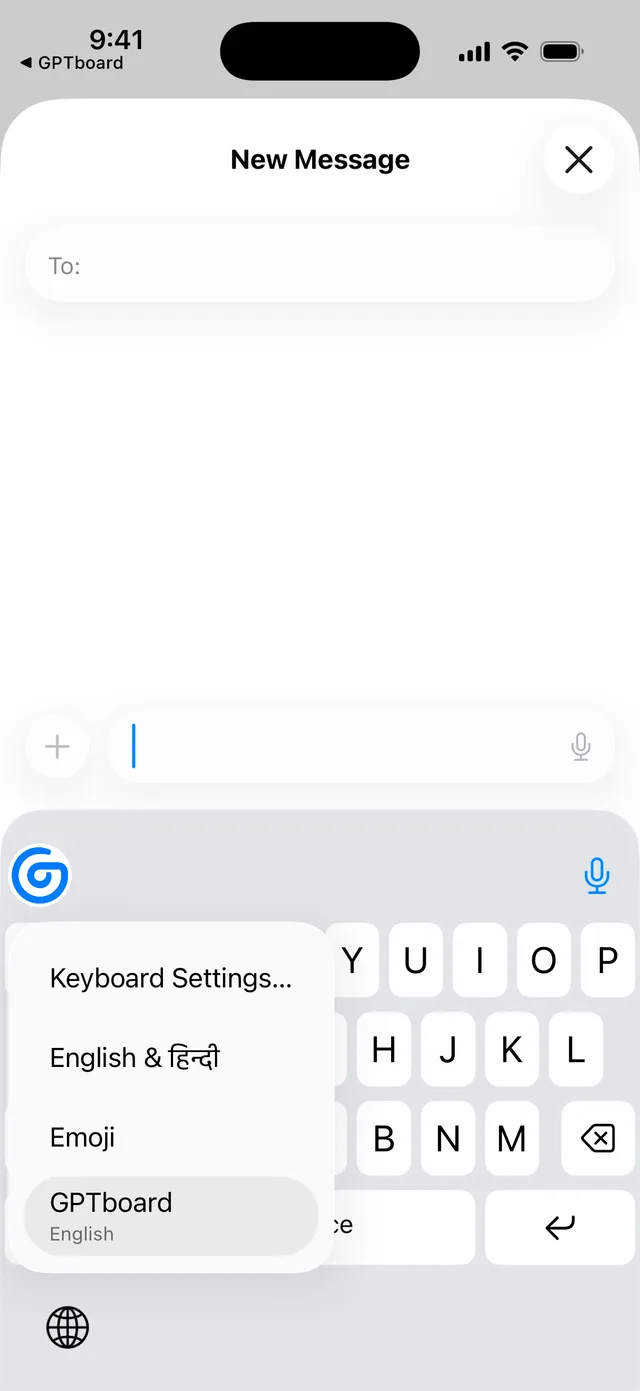
- Touch and hold the globe key.
- Choose GPTboard.
- Tap the blue mic and talk.
Why Full Access?
iOS lets a keyboard go online and work with its app only with Full Access. Voice typing and the GPTboard tools need both. Typing works without it.
Only what you send leaves your phone: your voice while you dictate, and the text before your cursor when you tap a tool (or your copied text, if the field is empty). Nothing is sent while you just type.
If a tool says "App needs full access to modify the input text.", Full Access is off. Turn it on in Settings, then General, Keyboard, Keyboards, GPTboard.
The microphone
The GPTboard keyboard starts the microphone itself: tap the blue mic and talk, right where you are typing. You don't switch to the GPTboard app.
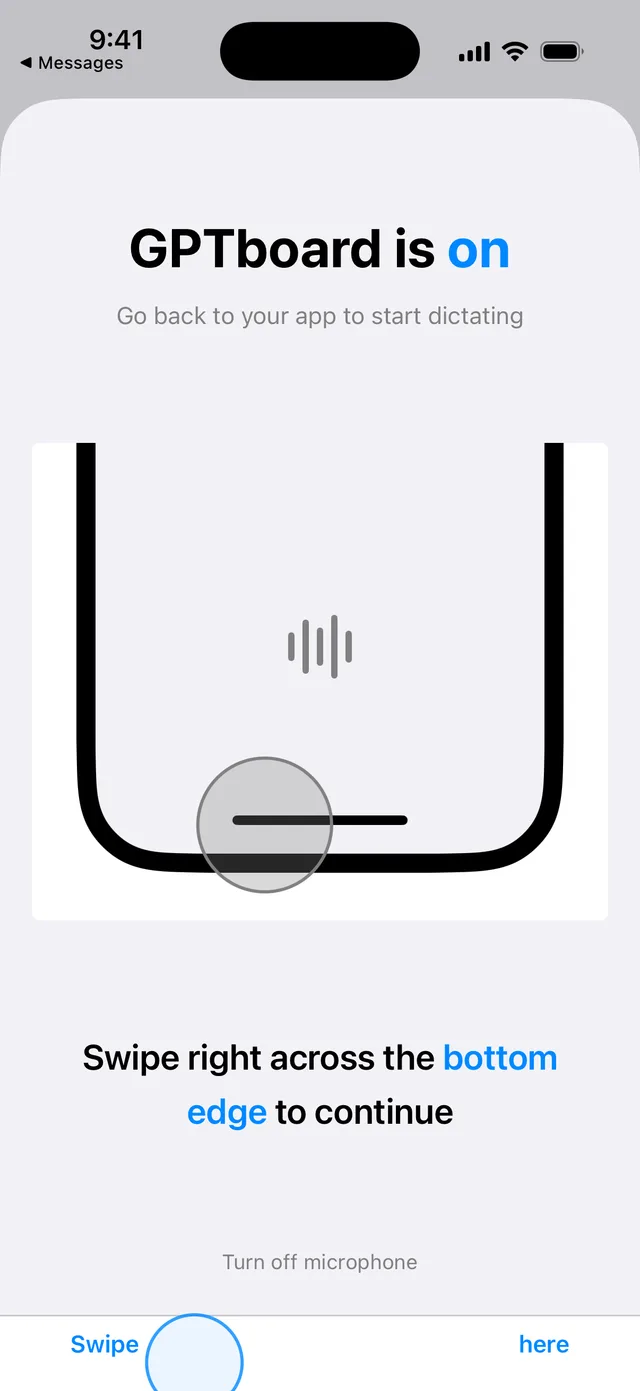
The first time only, GPTboard opens to ask for the microphone, because a keyboard can't ask on its own. Allow it, then swipe right along the bottom edge of the screen to go back to your app. The keyboard is already listening. That first time, the app records for the keyboard and keeps the microphone on for 10 minutes after your last dictation, and iOS shows its microphone indicator. After that, the keyboard records by itself.
If the keyboard can't start the microphone in an app, it says so and offers Open GPTboard and Retry. Open GPTboard, and the app records for the keyboard in the same way. To turn the app's microphone off sooner, tap Turn off microphone in the app, or use the Microphone switch on the app's home screen.
To choose the language you speak, open the GPTboard app and tap Language under Voice typing.
Contact us
The fastest way is the chat in the GPTboard app: the chat button at the bottom right of the home screen, or Contact for support. Or email gptboardapp@gmail.com.
To have what we hold for your random ID deleted, ask in the chat. It passes the ID to us.
Talk. GPTboard types it clean.
Free to download. iOS 16.2 or later.